Creating a Replication File System
 André Luiz Dutra Ontalba
publicado
leitura 2 min
cost 387 palavras
Creating a File Storage replication resource automatically creates an associated replication target resource. At the interval you specify, data is replicated from the source file system to the target file system.
Replications require an unexported target file system that you can replicate data to. You can choose to create the target file system before you begin creating the replication, or you can create the replication target along with the replication.
Using the Console
Create a new unexported file system, and note its OCID.
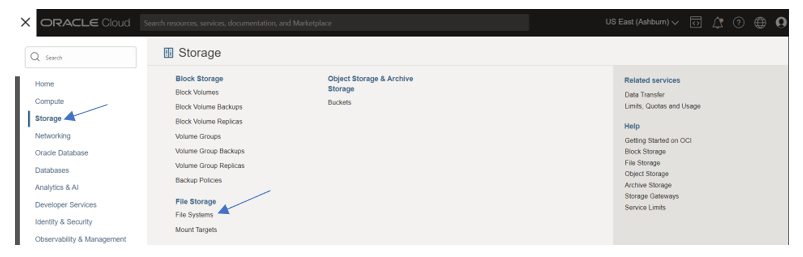
Open the navigation menu and click Storage. Under File Storage, click File Systems.
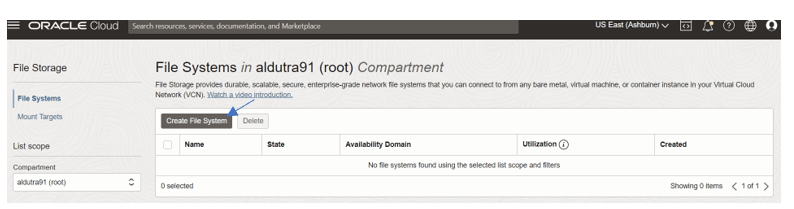
Click “Create File System”
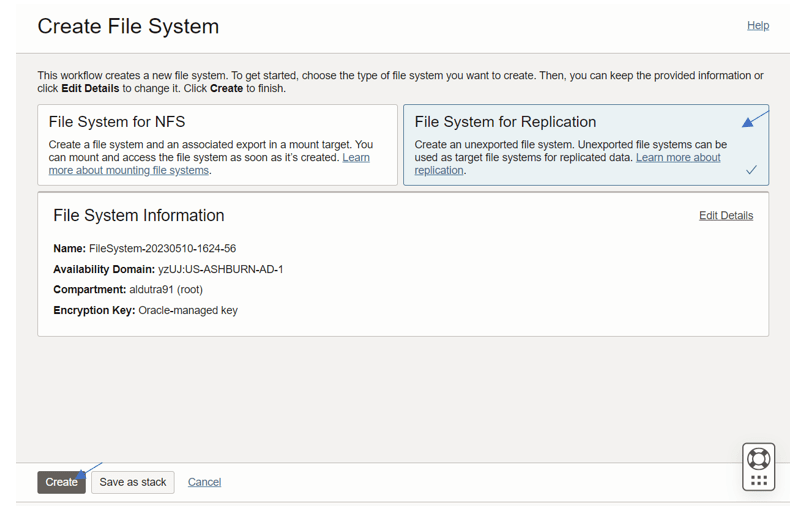
Select the option “File System for Replication” and click “Create”.

- Open the navigation menu and click Storage. Under File Storage, click File Systems.
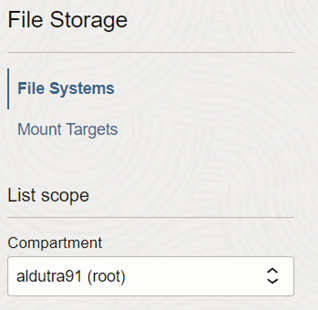
- In the List Scope section, select a compartment.
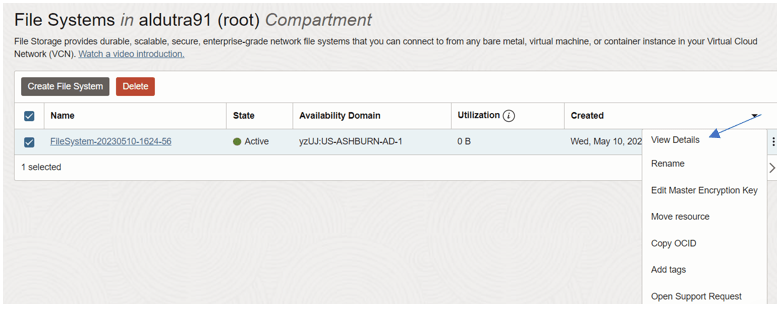
- In the File Systems list, locate the source file system you want to replicate. Click the Actions menu, and then click View File System Details.
- In Resources, click Replications.

Click “Create Replication”
Fill out the required information:
- Name: Enter a user-friendly name for the replication. You can change this name later. Avoid entering confidential information.
- Use Existing Target File System: Enter the OCID of the target file system that you created in step 1 or Create New Target File System: Enter information for the new target file system.
Note : When creating a new target file system, you need to specify the Target Region.
- Replication Interval: Enter a replication interval in minutes. The replication interval determines the frequency of data replication. The replication uses the default value of 480 minutes.
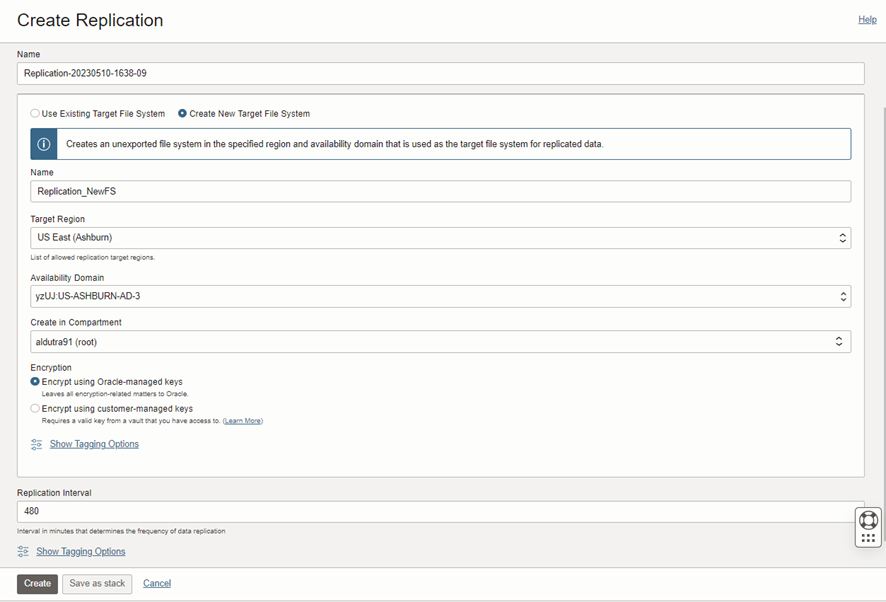
Click Create.
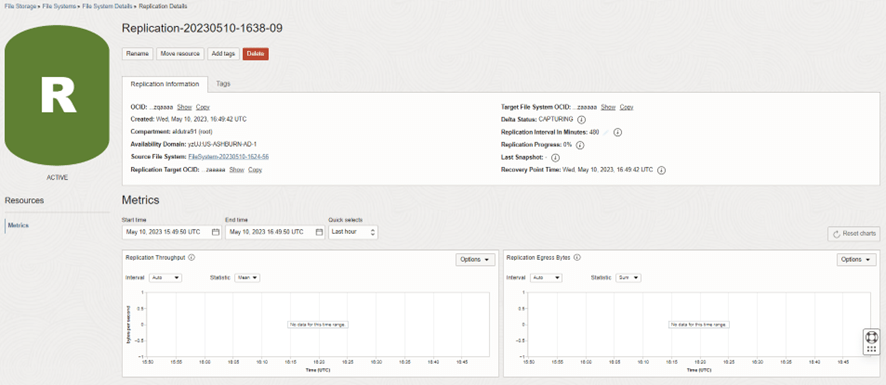

The replication is created immediately. The first delta cycle starts as soon as the replication is active. The initial replication can take hours depending on the amount of data that is in the source file system.
I hope this helps you!!!
Stay tuned by following on twitter @aontalba and Linkedin
Andre Luiz Dutra Ontalba
André Luiz Dutra Ontalba
DBA ATG Oracle há 27 anos, especialista em Banco de Dados Oracle e SQL SERVER, MySQL, Azure, AWS, Oracle Cloud. Bacharel em Ciências da Computação Pós Graduado pela FIAP em Administração de Banco de dados, MBA em Administração de TI pela FGV a MBA em Master Information Technology pela FIAP e BABSON e Mestrado em Gestão Estratégica em Tecnologias de Informação pela UNIATLANTICO e UNIB . Com sólidos conhecimentos em Banco de Dados e Sistemas operacionais, possui certificações Oracle OCP 10g/11/12g/2019 Oracle Cloud Professional, AWS Professional, Azure Expert e mais 85 outra certificações. Strategic Customer Service Manager at Oracle / Oracle ACE Alumni Member