Exascale for the ASM generation: how Exadata storage works now
How Exadata Exascale works for DBAs who learned Exadata on ASM: storage pools, vaults, 8 MB extents, the direct I/O path, redirect-on-write thin clones, 19c vs 26ai and ExaDB-XS.
 André Luiz Dutra Ontalba
publicado
leitura 9 min
cost 1,872 palavras
André Luiz Dutra Ontalba
publicado
leitura 9 min
cost 1,872 palavras
For more than a decade, every Exadata I worked on followed the same storage recipe: cell disks, grid disks, ASM disk groups called DATA and RECO, and a cluster that owned all of it. If you wanted a test copy of production, you built a read-only test master first and hung sparse clones off it. Exadata Exascale changes that recipe. It arrived with Exadata System Software 24.1 in 2024, and it’s the engine behind Exadata Database Service on Exascale Infrastructure (ExaDB-XS) in OCI. This post walks through how it works, from the point of view of a DBA who learned Exadata on ASM.
What problem Exadata Exascale solves
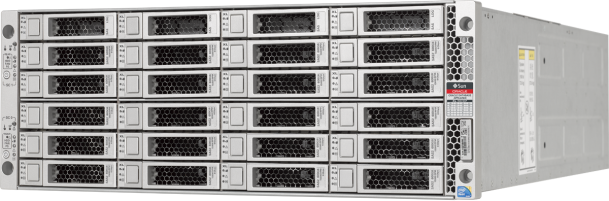
Classic Exadata storage is tied to a cluster. ASM runs on the database servers, owns the disk groups and knows where every extent lives. The model is fast and proven, but it has costs:
- Storage is carved per cluster. Space you gave to one VM cluster’s disk groups is hard to hand to another.
- Thin clones need a read-only test master. You refresh the master, then rebuild the clones.
- The entry point is a whole rack, or at least a dedicated slice of one.
Exascale moves storage management from the database servers to the storage servers and turns the storage grid into a shared, multi-tenant pool. Smart Scan, RDMA, flash cache, XRMEM and storage indexes all stay.
The building blocks
Four terms replace most of what you know from ASM.
- Pool disk. A partition of an Exadata cell disk. Each pool disk has a media type: HC (high capacity HDD), EF (extreme flash) or XT (the extended HDD tier on X11M).
- Storage pool. A set of pool disks of the same media type, spread across storage servers. A cluster needs at least one. You grow a pool by resizing pool disks, adding pool disks or adding storage servers.
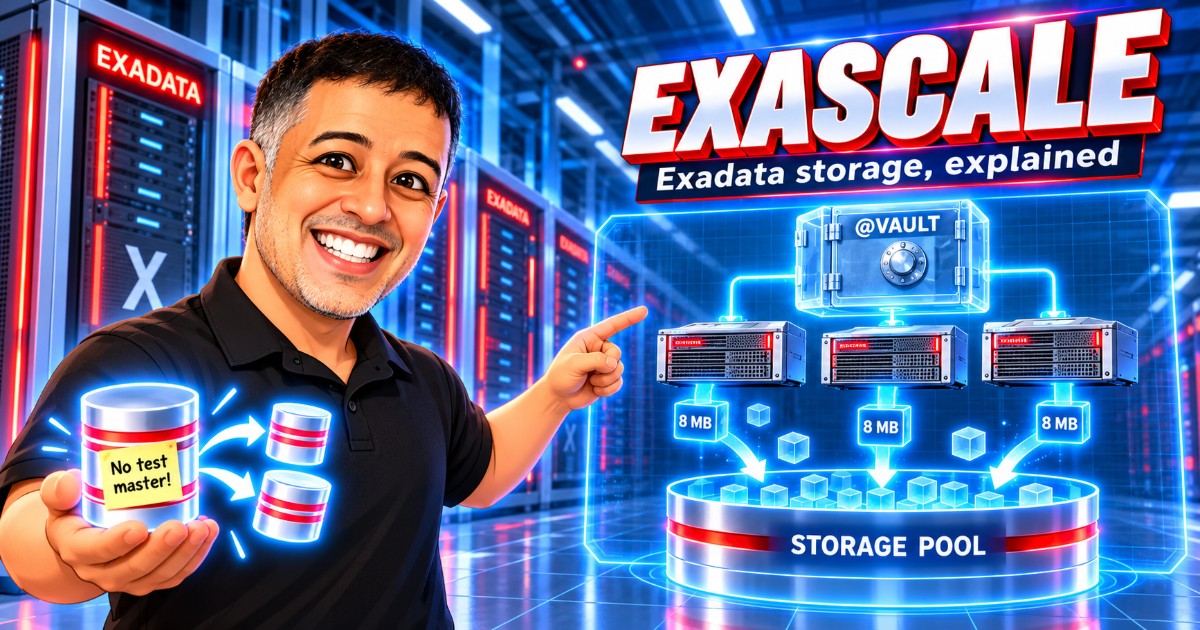
- Vault. The logical container your database uses, and the closest thing to an ASM disk group. A vault takes space from storage pools and sets limits for space, IOPS, flash cache and XRMEM. It also has its own access controls, so it works as a security boundary. You reference it with an @ prefix.
- File and extent. Every file is split into 8 MB extents, mirrored and striped across all the storage behind the vault.
ALTER SYSTEM SET db_create_file_dest = '@PRODVAULT' SCOPE=BOTH;Where redundancy lives now
Redundancy and content type belong to the file, and that took me a moment to accept after years of NORMAL and HIGH disk groups. Each file type has a template with media type, redundancy and content type (DATA or RECO). The database tells Exascale what kind of file it’s creating, and Exascale applies the matching template. You don’t need separate vaults for data and recovery files. Exascale still keeps data and recovery extents on different disks, and it never puts a mirror on the same storage server as its primary.
How a read or write travels
Exascale keeps an extent map that records where the primary and mirror copies of each file extent live. Every database server and every instance caches that map. When the database needs a block, it looks up the extent in its local cache and sends the I/O over RDMA to the storage server that holds it, with no broker in between.
Management goes a different way. Exascale RESTful Services (ERS) is the endpoint for every management operation, such as creating a vault, changing a quota or taking a snapshot. ERS never handles file I/O.
If the map is stale, for example after you add a storage server, the storage server rejects the I/O. The client refreshes its map and retries, and the database carries on.
Snapshots and thin clones without a test master
On classic Exadata, sparse clones depend on a read-only parent. Exascale uses redirect-on-write.
With copy-on-write, the first change to a block forces a copy of the original before the write, which puts an extra read and an extra write on the hot path. With redirect-on-write, the new version goes to a new location and the clone’s metadata points to it. Unchanged blocks stay shared with the parent.
So you can create a thin clone of a live read/write database or PDB, or of an existing snapshot, and there’s no test master to maintain. Clones can be thin or full copies. For dev and test, this is the feature I’d show a customer first.
Thin clone SQL on Exadata Exascale
The SQL is the PDB snapshot copy syntax you may already know. When the PDB’s files live in an Exascale vault, the database uses native Exascale cloning for it, so the clone is thin, sits in the same vault as the source and is created almost instantly whatever the size of the data files.
-- thin clone of a running PDB
CREATE PLUGGABLE DATABASE devpdb FROM prodpdb SNAPSHOT COPY;
ALTER PLUGGABLE DATABASE devpdb OPEN INSTANCES=ALL;

-- read-only point-in-time snapshot, and a clone made from it later
ALTER PLUGGABLE DATABASE prodpdb SNAPSHOT prod_0800;
CREATE PLUGGABLE DATABASE qapdb FROM prodpdb USING SNAPSHOT prod_0800 SNAPSHOT COPY;
Leave out SNAPSHOT COPY and you get a full, block-for-block copy.
One catch if the source CDB has a Data Guard standby: the standby gets a full copy of the clone’s data files, not a thin one. If the clone is only for dev or test, add STANDBYS=NONE so it isn’t created on the standby.
The Exadata Exascale services
Exascale adds a handful of processes. You won’t manage most of them directly, but you’ll see them in logs and in escli output.
| Service | Runs on | What it does |
|---|---|---|
| EGS | Storage servers, 5 instances | Exascale Global Services: cluster membership, storage pool management, identity. Uses Raft consensus. |
| ERS | Storage servers | Exascale RESTful Services: management endpoint. No file I/O. |
| SYSEDS / USREDS | Storage servers | Vault metadata and file metadata, including clone and snapshot metadata. |
| BSM / BSW | Storage servers | Block store manager and workers for volumes and volume snapshots. |
| IFD | Every storage server | Instant failure detection. |
| ESNP | Every database server or guest VM | Gives cluster state to Grid Infrastructure and the database. |
| EDV | Database servers that use volumes | Exposes Exascale volumes as block devices. |
With fewer than five storage servers, some EGS instances run on the database servers so the cluster still has five.
The command-line tool is escli, installed on database and storage servers since 24.1. It works alongside CellCLI and DBMCLI, which you still use. In OCI you’ll rarely need it, because the console and the REST APIs cover the same operations.
19c and 26ai work differently
If you’re planning a migration, start here.
- Oracle AI Database 26ai talks to Exascale natively. Files live directly in the vault, and there is no ASM.
- Oracle Database 19c uses Exascale block storage instead: Exascale Direct Volumes (EDV) presented to the VM, with ASM on top and the usual DATA, RECO and LOG disk groups.
In ExaDB-XS a VM cluster runs one version or the other, and a 26ai cluster can’t share a vault with a 19c cluster. Storage scaling differs as well. On 26ai you grow the vault online with one command. On 19c you grow the vault and then adjust the DATA and RECO allocations for each container database.
Exadata Exascale in the cloud: ExaDB-XS
ExaDB-XS gives you Exadata without renting a whole infrastructure. Oracle runs the physical servers in a shared model, and you pay for compute and vault storage. From the current documentation:
- A VM needs at least 8 ECPUs and scales in steps of 4.
- You can reserve ECPUs so a later scale-up needs no restart. You license only the enabled ECPUs.
- Each VM is billed for at least 48 hours, then per second. Extra ECPUs are billed per second with a 1-minute minimum.
- VM file systems live on shared Exascale storage, so Oracle can move a VM to another server for maintenance or after a failure.
Recent updates added single-node VM clusters without a RAC license, scaling enabled ECPUs to zero, automatic failover with Data Guard and Oracle-managed database software updates. Oracle revises the service limits from time to time, so check the limits page before you size anything.
Exadata Exascale field notes
- Plan vaults around security and resource boundaries, such as a business unit or an environment. Splitting them by file type, the way we split DATA and RECO, buys you nothing.
- Before you promise Exascale features to a 19c application, check what works on EDV and ASM. The native vault features need 26ai.
- Your monitoring scripts probably query ASM views. On 26ai those views won’t show vault usage, so plan to use
esclior OCI metrics. - Thin clones are cheap to create, and the changed blocks they collect keep growing. Put a cleanup policy in place from the start.
Wrapping up
With Exadata Exascale, the database still reads straight from the cells, as it always has on Exadata. What moved is ownership: management now lives on the storage servers, and storage is shared and sliced into vaults instead of belonging to one cluster.
In the next posts I want to get hands-on: creating a vault, cloning a PDB with redirect-on-write and comparing the I/O path with a classic ASM deployment. If you already run Exascale, tell me what you ran into. I’d like to include real field notes. Until then, the Engineered Systems section of the blog has my older notes on Exadata and ODA.
References
André Luiz Dutra Ontalba
DBA ATG Oracle há 27 anos, especialista em Banco de Dados Oracle e SQL SERVER, MySQL, Azure, AWS, Oracle Cloud. Bacharel em Ciências da Computação Pós Graduado pela FIAP em Administração de Banco de dados, MBA em Administração de TI pela FGV a MBA em Master Information Technology pela FIAP e BABSON e Mestrado em Gestão Estratégica em Tecnologias de Informação pela UNIATLANTICO e UNIB . Com sólidos conhecimentos em Banco de Dados e Sistemas operacionais, possui certificações Oracle OCP 10g/11/12g/2019 Oracle Cloud Professional, AWS Professional, Azure Expert e mais 85 outra certificações. Strategic Customer Service Manager at Oracle / Oracle ACE Alumni Member