How to ODA update to 19.17
 André Luiz Dutra Ontalba
publicado
leitura 11 min
cost 2,405 palavras
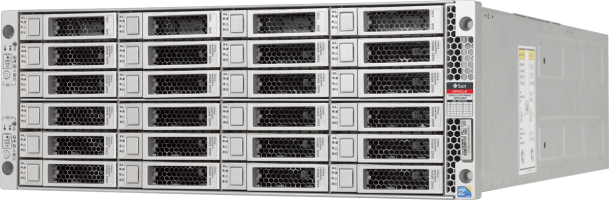
Today, I’m bringing you an article with the steps to update the ODA version to 19.17.
What’s new?
As usual, this version brings the latest PSUs to database and grid homes with their bug fixes. It also brings the latest 21.8 databases.
The only new features the release note are:
- Error correlation in the Browser User Interface (BUI), making a kcross-check between odacli errors and log files from the various components. As you may know, odacli is just an interface on top of classic OS and Oracle tools, and it’s sometimes tough to find the log which refer to the error.
- Database patching can now be done at the database level, and not only at the DB home level, with oracle update-database.
- Enhanced patching when using Data Guard to limit downtime.
Which ODA is compatible with this 19.17?
The new ODAs X9-2S/L/HA and for sure X8, X7 and X6 series. X5-2HA is still on the compatibility list, so you can keep this old appliance up-to-date.
Is this patch a cumulative one?
This 19.17 can be applied on top of 19.13 or later. I just applied this new patch on an X9 running on 19.13.
Download the patch and clone files
Download the patch and the corresponding clones to be able to apply the complete patch.
You don’t need the ISO file for patching, but I would recommend downloading it (patch 30403643).
Be sure to choose the very latest 19.17 when downloading the clones.
Prepare the patching
Before running prepatch, please check these prerequisites:
- filesystems have 20% available free space .
- additional rpms manually installed should be removed
- revert profile scripts to default’s one (for grid and oracle users)
- make sure you planned a downtime, 5 hours being the bare minimum for patching and troubleshooting.
- You should use odabr to make snapshots of the important filesystems prior patching.
Version precheck
Start to check current version on all components:
odacli describe-component | grep -v ^$

System Version
---------------
19.13.0.0.0
System node NPMe
---------------
cko-oda1
Local System Version
---------------
19.13.0.0.0
Component                                Installed Version    Available Version
---------------------------------------- -------------------- --------------------
OAK                                       19.13.0.0.0           up-to-date
GI                                        19.13.0.0.211019      up-to-date
DB {
[ OraDB19000_home2,OraDB19000_home3 ]     19.13.0.0.211019      up-to-date
}
DCSCONTROLLER                             19.13.0.0.0           up-to-date
DCSCLI                                    19.13.0.0.0           up-to-date
DCSAGENT                                  19.13.0.0.0           up-to-date
DCSADMIN                                  19.13.0.0.0           up-to-date
OS                                        7.9                   up-to-date
ILOM                                      5.0.2.24.r141466      up-to-date
BIOS                                      41100500              up-to-date
SHARED CONTROLLER FIRMWARE                QDV1RF32              up-to-date
LOCAL DISK FIRMWARE                       0121                  up-to-date
SHARED DISK FIRMWARE                      0121                  up-to-date
HMP                                       2.4.8.0.600           up-to-date
Once the patch will be registered in the ODA repository, the “Available Version” column will be updated with versions provided within the patch.
Prepararing the patch and updating the DCS tools
Copy the patch files on your ODA in a temp directory. Then unzip the files:
cd /transfer/oracle
unzip -o p30403662_1917000_Linux-x86-64.zip
unzip -o p30403673_1917000_Linux-x86-64.zip
unzip -o p34753059_1917000_Linux-x86-64.zip
Update the repository
odacli update-repository -f /transfer/oracle/oda-sm-19.17.0.0.0-221126.1-server.zip
odacli describe-job -i "dbacdj43-505f-4f08-acf2-11d78b66945b"

Job details
----------------------------------------------------------------
                     ID:  dbacdj43-505f-4f08-acf2-11d78b66945b
            Description:  Repository Update
                 Status:  Success
                Created:  January 2, 2023 9:55:39 PM CST
                Message:  /transfer/oracle/oda-sm-19.17.0.0.0-221126.1-server.zip

Task NPMe                                Start Time                          End Time                            Status
---------------------------------------- ----------------------------------- ----------------------------------- ----------
Unzip bundle                             Janurary 2, 2023 9:55:40 PM CST     January 2, 2023 9:56:09 PM CST     Success

odacli describe-component | grep -v ^$
System Version
---------------
19.13.0.0.0
System node NPMe
---------------
cko-oda1
Local System Version
---------------
19.13.0.0.0
Component                                Installed Version    Available Version
---------------------------------------- -------------------- --------------------
OAK                                       19.13.0.0.0           19.17.0.0.0
GI                                        19.13.0.0.211019      19.17.0.0.221018
DB {
[ OraDB19000_home2,OraDB19000_home3 ]     19.13.0.0.211019      19.17.0.0.221018
}
DCSCONTROLLER                             19.13.0.0.0           19.17.0.0.0
DCSCLI                                    19.13.0.0.0           19.17.0.0.0
DCSAGENT                                  19.13.0.0.0           19.17.0.0.0
DCSADMIN                                  19.13.0.0.0           19.17.0.0.0
OS                                        7.9                   up-to-date
ILOM                                      5.0.2.24.r141466      5.1.0.23.r146986
BIOS                                      41100500              41120100
SHARED CONTROLLER FIRMWARE                QDV1RF32              QDV1RF35
LOCAL DISK FIRMWARE                       0121                  not-available
SHARED DISK FIRMWARE                      0121                  not-available
HMP                                       2.4.8.0.600           2.4.8.9.603


odacli update-repository -f /transfer/oracle/odacli-dcs-19.17.0.0.0-221029-GI-19.17.0.0.zip

odacli describe-job -i " e07fb8f3-e937-44b9-8934-7c1343b1b3ef"

Job details
----------------------------------------------------------------
                     ID:  e07fb8f3-e937-44b9-8934-7c1343b1b3ef
            Description:  Repository Update
                 Status:  Success
                Created:  January 2, 2023 9:56:40 PM CST
                Message:  /transfer/oracle/odacli-dcs-19.17.0.0.0-221029-GI-19.17.0.0.zip

Task NPMe                                Start Time                          End Time                            Status
---------------------------------------- ----------------------------------- ----------------------------------- ----------
Unzip bundle                             January 2, 2023 09:57:45 PM CST    January 2, 2023 09:58:21 PM CST    Success
Update the DCS admin
odacli update-dcsadmin -v 19.17.0.0.0
odacli describe-job -i "1b7ddd74-7580-4480-8584-251932476f35"

Job details
----------------------------------------------------------------
                     ID:  1b7ddd74-7580-4480-8584-251932476f35
            Description:  DcsAdmin patching
                 Status:  Success
                Created:  January 2, 2023 9:59:42 PM CST
                Message:

Task NPMe                                Start Time                          End Time                            Status
---------------------------------------- ----------------------------------- ----------------------------------- ----------
Patch location validation                January 2, 2023 9:59:42 PM CST     January 2, 2023 10:00:42 PM CST     Success
dcs-admin upgrade                        January 2, 2023 9:59:42 PM CST     January 2, 2023 10:00:49 PM CST     Success
Update the DCS components
The command below may take some time as specified in the documentation. So be patient and wait.
This command upgrades Zookeeper, installs MySQL, migrates metadata from Derby to MySQL, and upgrades other DCS components such as the DCS Agent, DCS CLI, and DCS Controller on the Oracle Database Appliance.
odacli update-dcscomponents -v 19.17.0.0.0
This job is interactive
{
  "jobId" : "c3ed2959-82b4-45a4-b7d4-813da9b3aa1a",
  "status" : "Success",
  "message" : "Update-dcscomponents is successful on all the node(s):DCS-Agent shutdown is successful. MySQL upgrade is successful. Metadata migration is done before. Metadata schema update is done. dcsagent RPM upgrade is successful.  dcscli RPM upgrade is successful.  dcscontroller RPM upgrade is successful.  Successfully ran setupAgentAuth.sh zookeeper RPM upgrade is successful.  ",
  "reports" : null,
  "createTimestPMp" : "January 02, 2023 10:03:37 PM CST",
  "description" : "Update-dcscomponents job completed and is not part of Agent job list",
  "updatedTime" : "January 02, 2023 10:05:16 PM CST"
}
Update the DCS Agent
odacli update-dcsagent -v 19.17.0.0.0 odacli describe-job -i “71637667-3dea-4ac4-a2dd-5d9e7726874a” Job details —————————————————————- ID: 71637667-3dea-4ac4-a2dd-5d9e7726874a Description: DcsAgent patching Status: Success Created: January 2, 2023 10:06:21 PM CST Message: Task NPMe Start Time End Time Status —————————————- ———————————– ———————————– ———- Stop DCS Admin January 2, 2023 10:06:22 PM CST January 2, 2023 10:06:22 PM CST Success Generate mTLS certificates January 2, 2023 10:06:22 PM CST January 2, 2023 10:06:23 PM CST Success Exporting Public Keys January 2, 2023 10:06:23 PM CST January 2, 2023 10:06:24 PM CST Success Creating Trust Store January 2, 2023 10:06:24 PM CST January 2, 2023 10:06:26 PM CST Success Update config files January 2, 2023 10:06:26 PM CST January 2, 2023 10:06:26 PM CST Success Restart DCS Admin January 2, 2023 10:06:26 PM CST January 2, 2023 10:06:46 PM CST Success Dcs-agent upgrade to version 19.17.0.0.0 January 2, 2023 10:06:46 PM CST January 2, 2023 10:07:58 PM CST Success Update System version January 2, 2023 10:07:58 PM CST January 2, 2023 10:07:58 PM CST Success
Prepatching report
Before updating the server, we run pre-checks
odacli create-prepatchreport -s -v 19.17.0.0.0
odacli describe-prepatchreport -i a3569c92-beef-46a6-b36d-d7d8c7fb6066


Patch pre-check report
------------------------------------------------------------------------
                 Job ID:  a3569c92-beef-46a6-b36d-d7d8c7fb6066
            Description:  Patch pre-checks for [OS, ILOM, GI, ORACHKSERVER, SERVER]
                 Status:  SUCCESS
                Created:  January 2, 2023 10:23:01 PM CST
                 Result:  All pre-checks succeeded

Node NPMe
---------------
cko-oda1

Pre-Check                      Status   Comments
------------------------------ -------- --------------------------------------
__OS__
Validate supported versions     Success   Validated minimum supported versions.
Validate patching tag           Success   Validated patching tag: 19.17.0.0.0.
Is patch location available     Success   Patch location is available.
Verify OS patch                 Success   Verified OS patch
Validate command execution      Success   Validated command execution

__ILOM__
Validate ILOM server reachable  Success   Successfully connected with ILOM
                                          server using public IP and USB
                                          interconnect
Validate supported versions     Success   Validated minimum supported versions.
Validate patching tag           Success   Validated patching tag: 19.17.0.0.0.
Is patch location available     Success   Patch location is available.
Checking Ilom patch Version     Success   Successfully verified the versions
Patch location validation       Success   Successfully validated location
Validate command execution      Success   Validated command execution

__GI__
Validate GI metadata            Success   Successfully validated GI metadata
Validate supported GI versions  Success   Validated minimum supported versions.

Validate available space        Success   Validated free space under /u01
Is clusterware running          Success   Clusterware is running
Validate patching tag           Success   Validated patching tag: 19.17.0.0.0.
Is system provisioned           Success   Verified system is provisioned
Validate ASM in online          Success   ASM is online
Validate kernel log level       Success   Successfully validated the OS log
                                          level
Validate minimum agent version  Success   GI patching enabled in current
                                          DCSAGENT version
Validate Central Inventory      Success   oraInventory validation passed
Validate patching locks         Success   Validated patching locks
Validate clones location exist  Success   Validated clones location
Validate DB start dependencies  Success   DBs START dependency check passed
Validate DB stop dependencies   Success   DBs STOP dependency check passed
Validate space for clones       Success   Clones volume is already created
volume
Evaluate GI patching            Success   Successfully validated GI patching
Validate command execution      Success   Validated command execution

__ORACHK__
Running orachk                  Success   Successfully ran Orachk
Validate command execution      Success   Validated command execution

__SERVER__
Validate local patching         Success   Successfully validated server local
                                          patching
Validate command execution      Success   Validated command execution
Everything is OK to start patching.
Apply the Server update
Let’s start the update-server:
odacli update-server -v 19.17.0.0.0
odacli describe-job -i "59bbb6d2-bf6e-451a-8a4e-1de86c490d26"

Job details
----------------------------------------------------------------
                     ID:  59bbb6d2-bf6e-451a-8a4e-1de86c490d26
            Description:  Server Patching
                 Status:  Success
                Created:  January 2, 2023 10:35:33 PM CST
                Message:  Successfully patched GI with RHP

Task NPMe                                Start Time                          End Time                            Status
---------------------------------------- ----------------------------------- ----------------------------------- ----------
Validating GI user metadata              January 2, 2023 10:35:46 PM CST    January 2, 2023 10:35:46 PM CST    Success
Validate ILOM server reachable           January 2, 2023 10:35:46 PM CST    January 2, 2023 10:35:46 PM CST    Success
Validate DCS Admin mTLS setup            January 2, 2023 10:35:46 PM CST    January 2, 2023 10:35:46 PM CST    Success
Configure export clones resource         January 2, 2023 10:35:47 PM CST    January 2, 2023 10:35:48 PM CST    Success
Creating repositories using yum          January 2, 2023 10:35:48 PM CST    January 2, 2023 10:35:52 PM CST    Success
Updating YumPluginVersionLock rpm        January 2, 2023 10:35:52 PM CST    January 2, 2023 10:35:52 PM CST    Success
Applying OS Patches                      January 2, 2023 10:35:52 PM CST    January 2, 2023 10:46:25 PM CST    Success
Creating repositories using yum          January 2, 2023 10:46:26 PM CST    January 2, 2023 10:46:26 PM CST    Success
Applying HMP Patches                     January 2, 2023 10:46:26 PM CST    January 2, 2023 10:46:46 PM CST    Success
Patch location validation                January 2, 2023 10:46:46 PM CST    January 2, 2023 10:46:46 PM CST    Success
Oda-hw-mgmt upgrade                      January 2, 2023 10:46:47 PM CST    January 2, 2023 10:47:21 PM CST    Success
OSS Patching                             January 2, 2023 10:47:21 PM CST    January 2, 2023 10:47:21 PM CST    Success
Applying Firmware Disk Patches           January 2, 2023 10:47:21 PM CST    January 2, 2023 10:47:23 PM CST    Success
Applying Firmware Controller Patches     January 2, 2023 10:47:24 PM CST    January 2, 2023 10:48:12 PM CST    Success
Checking Ilom patch Version              January 2, 2023 10:48:12 PM CST    January 2, 2023 10:48:13 PM CST    Success
Patch location validation                January 2, 2023 10:48:13 PM CST    January 2, 2023 10:48:13 PM CST    Success
Save password in Wallet                  January 2, 2023 10:48:13 PM CST    January 2, 2023 10:48:13 PM CST    Success
Disabling IPMI v2                        January 2, 2023 10:48:13 PM CST    January 2, 2023 10:48:14 PM CST    Success
Apply Ilom patch                         January 2, 2023 10:48:14 PM CST    January 2, 2023 10:57:11 PM CST    Success
Copying Flash Bios to Temp location      January 2, 2023 10:57:11 PM CST    January 2, 2023 10:57:11 PM CST    Success
Starting the clusterware                 January 2, 2023 10:57:11 PM CST    January 2, 2023 10:58:54 PM CST    Success
Registering image                        January 2, 2023 10:58:54 PM CST    January 2, 2023 10:58:54 PM CST    Success
Registering working copy                 January 2, 2023 10:58:54 PM CST    January 2, 2023 10:58:54 PM CST    Success
Registering image                        January 2, 2023 10:58:54 PM CST    January 2, 2023 10:58:54 PM CST    Success
Creating GI home directories             January 2, 2023 10:58:54 PM CST    January 2, 2023 10:58:54 PM CST    Success
Extract GI clone                         January 2, 2023 10:58:54 PM CST    January 2, 2023 10:58:55 PM CST    Success
Provisioning Software Only GI with RHP   January 2, 2023 10:58:55 PM CST    January 2, 2023 10:58:55 PM CST    Success
Patch GI with RHP                        January 2, 2023 10:58:55 PM CST    January 2, 2023 11:05:10 PM CST    Success
Updating GIHome version                  January 2, 2023 11:05:10 PM CST    January 2, 2023 11:05:14 PM CST    Success
Validate GI availability                 January 2, 2023 11:05:52 PM CST    January 2, 2023 11:05:52 PM CST    Success
Patch KVM CRS type                       January 2, 2023 11:05:52 PM CST    January 2, 2023 11:05:52 PM CST    Success
Patch VM vDisks CRS dependencies         January 2, 2023 11:05:52 PM CST    January 2, 2023 11:05:52 PM CST    Success
Patch DB System domain config            January 2, 2023 11:05:53 PM CST    January 2, 2023 11:05:53 PM CST    Success
Update System version                    January 2, 2023 11:05:53 PM CST    January 2, 2023 11:05:53 PM CST    Success
Cleanup JRE Home                         January 2, 2023 11:05:53 PM CST    January 2, 2023 11:05:53 PM CST    Success
Add SYSNPME in Env                       January 2, 2023 11:05:53 PM CST    January 2, 2023 11:05:53 PM CST    Success
Starting the clusterware                 January 2, 2023 11:05:53 PM CST    January 2, 2023 11:05:53 PM CST    Success
Setting ACL for disk groups              January 2, 2023 11:05:53 PM CST    January 2, 2023 11:05:57 PM CST    Success
Enable LKCE                              January 2, 2023 11:07:50 PM CST    January 2, 2023 11:10:37 PM CST    Success
Update previous workarounds              January 2, 2023 11:10:37 PM CST    January 2, 2023 11:10:37 PM CST    Success
Generating and saving BOM                January 2, 2023 11:10:37 PM CST    January 2, 2023 11:12:32 PM CST    Success
PreRebootNode Actions                    January 2, 2023 11:12:32 PM CST    January 2, 2023 11:13:19 PM CST    Success
Reboot Ilom                              January 2, 2023 11:13:19 PM CST    January 2, 2023 11:13:19 PM CST    Success
The server reboots 5 minutes after the patch ends. On this X9-2M server patching lasted 40 minutes.
Update the existing dbhomes
Time for patching the DB homes depends on the number of DB homes and number of databases.
odacli list-dbhomes
ID                                       NPMe                 DB Version                               Home Location                                 Status
---------------------------------------- -------------------- ---------------------------------------- --------------------------------------------- ----------
7c724f57-a495-4db9-a88a-48323f3632c6     OraDB19000_home2     19.13.0.0.211019                         /u01/app/oracle/product/19.0.0.0/dbhome_2 CONFIGURED
7041785be-d58e-44c6-b51d-d2729a99b8e8     OraDB19000_home3     19.13.0.0.211019                         /u01/app/oracle/product/19.0.0.0/dbhome_3 CONFIGURED

unzip -o p30403662_1917000_Linux-x86-64.zip
odacli update-repository -f /transfer/oracle/odacli-dcs-19.17.0.0.0-221029-DB-19.17.0.0.zip
odacli describe-job -i "ff6d6ad4-de02-432b-b62e-5986146a8eee"

Job details
----------------------------------------------------------------
                     ID:  ff6d6ad4-de02-432b-b62e-5986146a8eee
            Description:  Repository Update
                 Status:  Success
                Created:  January 2, 2023 11:50:02 PM CST
                Message:  /transfer/oracle/odacli-dcs-19.17.0.0.0-221029-DB-19.17.0.0.zip

Task NPMe                                Start Time                          End Time                            Status
---------------------------------------- ----------------------------------- ----------------------------------- ----------
Unzip bundle                             January 2, 2023 11:50:02 PM CST    January 2, 2023 11:50:38 PM CST    Success


odacli update-dbhome -i 7c724f57-a495-4db9-a88a-48323f3632c6 -v 19.17.0.0.0 -f
odacli describe-job -i "cf0d4064-1eb2-4b9a-8653-41fe1f06f98"

Job details
----------------------------------------------------------------
                     ID:  cf0d4064-1eb2-4b9a-8653-41fe1f06f98
            Description:  DB Home Patching: Home Id is 7c724f57-a495-4db9-a88a-48323f3632c6
                Status:  Success
                Created: January 3, 2023 12:11:31 AM CST
                Message:

Task NPMe                                Start Time                          End Time                            Status
---------------------------------------- ----------------------------------- ----------------------------------- ----------
Creating wallet for DB Client            January 3, 2023 12:12:18 AM CST    January 3, 2023 12:12:18 AM CST    Success
Patch databases by RHP                   January 3, 2023 12:12:18 AM CST    January 3, 2023 12:18:34 AM CST    Success
Updating database metadata               January 3, 2023 12:18:34 AM CST    January 3, 2023 12:18:34 AM CST    Success
Set log_archive_dest for Database        January 3, 2023 12:18:34 AM CST    January 3, 2023 12:18:37 AM CST    Success
Patch databases by RHP                   January 3, 2023 12:18:37 AM CST    January 3, 2023 12:20:09 AM CST    Success
Updating database metadata               January 3, 2023 12:20:09 AM CST    January 3, 2023 12:20:09 AM CST    Success
Set log_archive_dest for Database        January 3, 2023 12:20:09 AM CST    January 3, 2023 12:20:13 AM CST    Success
Patch databases by RHP                   January 3, 2023 12:20:13 AM CST    January 3, 2023 12:25:58 AM CST    Success
Updating database metadata               January 3, 2023 12:25:58 AM CST    January 3, 2023 12:25:58 AM CST    Success
Set log_archive_dest for Database        January 3, 2023 12:25:58 AM CST    January 3, 2023 12:26:00 AM CST    Success
Update System version                    January 3, 2023 12:26:00 AM CST    January 3, 2023 12:26:00 AM CST    Success
Generating and saving BOM                January 3, 2023 12:26:00 AM CST    January 3, 2023 12:28:03 AM CST    Success
TDE parPMeter update                     January 3, 2023 12:28:39 AM CST    January 3, 2023 12:28:39 AM CST    Success
It’s the exact same procedure for the second DB home.
Final checks
Let’s get the final versions:
odacli describe-component | grep -v ^$
System Version
---------------
19.17.0.0.0
System node NPMe
---------------
cko-oda1
Local System Version
---------------
19.17.0.0.0
Component                                Installed Version    Available Version
---------------------------------------- -------------------- --------------------
OAK
                                          19.17.0.0.0           up-to-date
GI
                                          19.17.0.0.221018      up-to-date
DB {
[ OraDB19000_home2,OraDB19000_home3 ]}    19.17.0.0.221018      up-to-date

DCSCONTROLLER
                                          19.17.0.0.0           up-to-date

DCSCLI
                                          19.17.0.0.0           up-to-date
DCSAGENT
                                          19.17.0.0.0           up-to-date
DCSADMIN
                                          19.17.0.0.0           up-to-date
OS
                                          7.9                   up-to-date
ILOM
                                          5.1.0.23.r146986      up-to-date
BIOS
                                          41120100              up-to-date
LOCAL CONTROLLER FIRMWARE {
[c6]
                                          80000690              up-to-date
[c7]
                                          214.2.271.9           up-to-date
}
SHARED CONTROLLER FIRMWARE
                                          QDV1RF35              up-to-date
LOCAL DISK FIRMWARE
                                          N2010121              up-to-date
SHARED DISK FIRMWARE
                                          N2010121              up-to-date
HMP
                                          2.4.8.9.603           up-to-date
Hope this helps you!!!
Disclaimer: “The postings on this site are my own and don’t necessarily represent may actual employer positions, strategies or opinions. The information here was edited to be useful for general purpose, specific data and identifications was removed to allow reach generic audience and to be useful
André Luiz Dutra Ontalba
DBA ATG Oracle há 27 anos, especialista em Banco de Dados Oracle e SQL SERVER, MySQL, Azure, AWS, Oracle Cloud. Bacharel em Ciências da Computação Pós Graduado pela FIAP em Administração de Banco de dados, MBA em Administração de TI pela FGV a MBA em Master Information Technology pela FIAP e BABSON e Mestrado em Gestão Estratégica em Tecnologias de Informação pela UNIATLANTICO e UNIB . Com sólidos conhecimentos em Banco de Dados e Sistemas operacionais, possui certificações Oracle OCP 10g/11/12g/2019 Oracle Cloud Professional, AWS Professional, Azure Expert e mais 85 outra certificações. Strategic Customer Service Manager at Oracle / Oracle ACE Alumni Member